
Tips for Creating an Organised and Inspiring Home Workspace
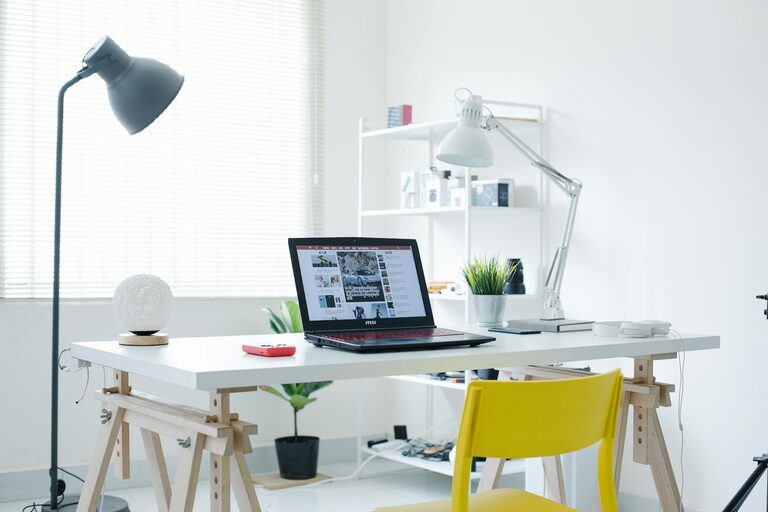
Creating an organised and inspiring workspace at home can make a major difference to your productivity and overall wellbeing. Whether you’re working remotely, studying, or simply catching up on personal projects, the right environment helps you stay focused and motivated. In this post, we’ll explore practical tips for setting up a home workspace that is tidy, efficient, and inviting.
1. Choose the Right Location
The first step is picking the ideal spot for your workspace. Ideally, choose a quiet area with minimal distractions. If possible, select a room or corner with plenty of natural light, as this improves mood and energy levels. If space is limited, even a small nook or a section of a larger room can work well when properly organised.
Consider Your Needs
– Privacy: Will you need solitude for calls or concentration?
– Lighting: Natural daylight is best, but consider adjustable lamps.
– Noise level: Try to avoid noisy or high-traffic areas.
– Space: Ensure there’s enough room for your desk, chair, and supplies.
2. Invest in Ergonomic Furniture
Comfort is key to maintaining productivity during long hours at your desk. Invest in an ergonomic chair that supports your posture and reduces strain on your back and shoulders. Choose a desk at the right height to prevent discomfort in your wrists or neck.
Tips for Ergonomics
– Keep your feet flat on the ground or use a footrest.
– Arrange your monitor at eye level, about an arm’s length away.
– Use a keyboard and mouse that fit comfortably in your hands.
– Take regular breaks to stretch and move.
3. Declutter and Organise
A cluttered workspace can lead to distraction and frustration. Regularly clear your desk to create a sense of calm and order.
Strategies for Organisation
– Use organisers like trays, drawers, or boxes to keep supplies neat.
– Keep only essentials on your desk; store extras elsewhere.
– Label storage containers to easily find items.
– Digitise documents where possible to reduce paper clutter.
– Adopt a daily or weekly tidying routine.
4. Personalise Your Space Thoughtfully
Adding personal touches can make your workspace more inviting and motivating. However, avoid overcrowding the area with too many items.
Ideas for Personalisation
– Display inspiring quotes or artwork.
– Add a small plant to improve air quality and aesthetics.
– Use colours that boost creativity or calmness, depending on your preference.
– Incorporate meaningful objects that bring joy but don’t distract.
5. Optimise Lighting
Good lighting reduces eye strain and enhances focus. Natural light is ideal, but it changes throughout the day, so supplement with good artificial lighting.
Lighting Tips
– Position your desk near a window, avoiding glare on screens.
– Use adjustable desk lamps with warm or neutral light.
– Avoid harsh overhead lighting that creates shadows.
– Consider a light with adjustable brightness for different tasks.
6. Manage Cables and Technology
Electronic devices and their cables can create visual chaos and hazards if not managed well.
Cable Management Tips
– Use cable clips, ties, or sleeves to bundle wires neatly.
– Place power strips out of sight but easily accessible.
– Choose wireless devices where possible to reduce clutter.
– Keep your devices clean and regularly updated for smooth operation.
7. Create Zones for Different Tasks
If your space allows, divide your workspace into zones to separate activities such as computer work, reading, or planning. This separation can help your brain switch focus more easily and maintain productivity.
Examples of Zones
– A computer station with your main setup.
– A writing or drawing area with extra desk space.
– A filing or storage section for paperwork.
– A relaxation or brainstorming spot with comfortable seating.
8. Maintain Good Air Quality and Temperature
A comfortable room temperature and fresh air are important for concentration and comfort.
Tips for Air and Temperature
– Open windows regularly to let in fresh air.
– Use fans or heaters to keep the space at a comfortable temperature.
– Keep plants that improve indoor air quality.
– Avoid placing your workspace near sources of dust or strong odours.
9. Establish Daily Routines
An organised workspace is easier to maintain when paired with consistent routines.
Routine Suggestions
– Start each day by organising your desk.
– Prioritise tasks with a written to-do list.
– Schedule regular breaks to refresh your mind.
– End the day by tidying and preparing for tomorrow.
Conclusion
Designing a home workspace that is both organised and inspiring takes thoughtful planning, but the benefits are well worth it. By choosing the right location, investing in ergonomic furniture, decluttering regularly, and personalising the space with purposeful touches, you create a productive environment tailored to your needs. Don’t forget to manage lighting and technology smartly, and establish routines to keep your workspace functioning optimally day after day. With these tips, your home workspace will become a place where focus and creativity naturally flourish.